
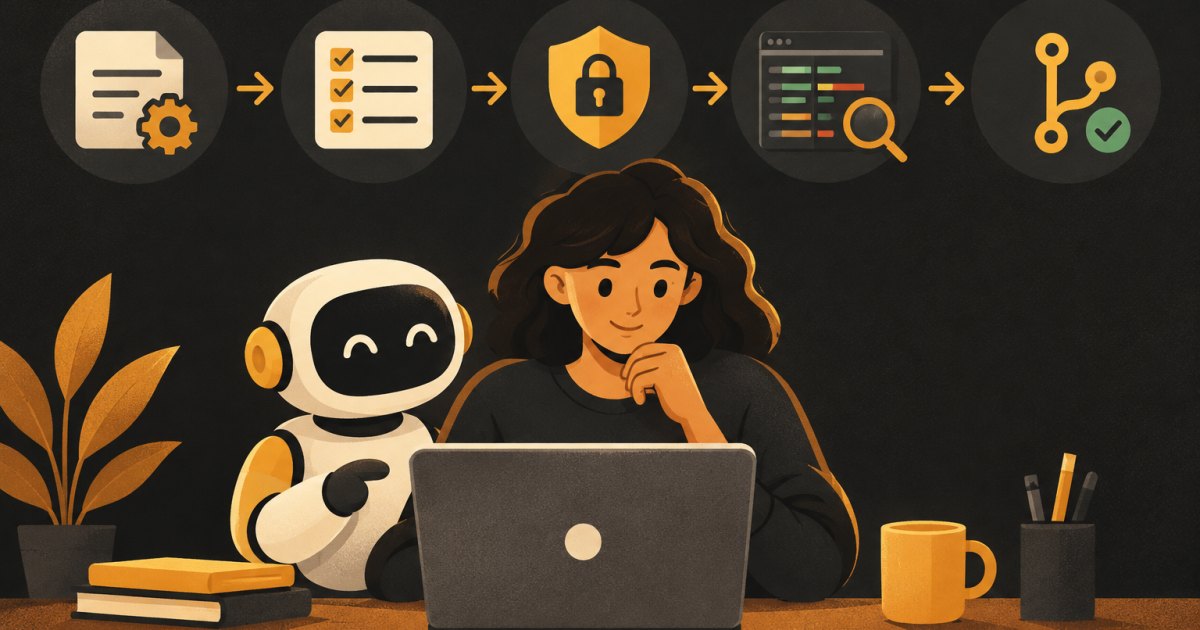
This post is for founders who have an app in a GitHub repo and want to hand coding tasks to OpenAI's Codex agent without waking up to a broken app. Some of it is beginner level (how to write a task), and some assumes you have shipped something already (branches, pull requests, review). You do not need to be a developer, but you do need to be willing to read a list of changed files.
I build mostly with Lovable, Supabase and Claude, and the habits below are the same ones I teach for any coding agent. Codex is good at focused work. It is not a replacement for knowing what you asked for and checking that you got it.
Before your first task
Get your code into GitHub
Codex Cloud builds each task's workspace from a GitHub repository, and its code review runs on GitHub pull requests. If you started in a visual builder, connect it to GitHub first. If your builder also writes to the same repo, be aware you now have two writers. Merge one change at a time and pull before you start the next task.
Work on branches, not main
Your main branch should always be the version that works. Every Codex task should land on its own branch and reach main only through a pull request you have reviewed. OpenAI's own security guidance says the same: start from a clean state, work on a feature branch, and review diffs before merging.
Write an AGENTS.md file
AGENTS.md is a plain text file at the root of your repo that Codex reads before it starts working. Think of it as the onboarding note you would give a new contractor. Codex combines the files from the repo root down to the folder it is working in, so you can add a more specific one in a subfolder later.
A starter version:
# AGENTS.md

## About this app
A booking app for independent dog groomers. React front end, Supabase for
auth and database, Stripe for payments.

## Working rules
- Use npm, not yarn or pnpm.
- Run `npm run build` and `npm test` after every change. Do not finish a
  task with failing tests.
- Do not change files in /supabase/migrations unless the task says to.
- Never edit .env files or put keys in code.
- Do not add new dependencies without saying why in your summary.
- Keep changes to the files the task needs. No drive-by refactors.

## Code Review Rules
- Flag any change to row level security policies or auth logic.
- Flag any query that could return another user's data.
The ## Code Review Rules heading is what Codex code review looks for on GitHub. OpenAI suggests starting with two or three rules and removing any that create noise. Leave formatting and lint checks to your automated checks.
Pick safe permission settings
When Codex runs on your computer (desktop app, CLI or IDE extension), two settings control what it can do: the sandbox mode (what files and network it can reach) and the approval policy (when it asks you first).
- Auto is the recommended default for a project under version control. Codex can read, edit and run commands inside your project folder, and asks before going outside it or using the network.
- Read-only is for when you only want it to look and plan. Good for "explain how payments work in this codebase."
- Full access removes the sandbox. OpenAI does not recommend it, and I would not use it on your main computer.
Keep network access off unless a task needs it. The full details are in OpenAI's approvals and security docs.
For Codex Cloud, each task runs in its own isolated workspace created from an environment you set up and publish. You choose whether the environment gets internet access (a package-manager preset or specific domains) and which secrets it can use. Give it the least it needs. Use test keys, never live payment keys.
Write tasks Codex can actually finish
Vague tasks get vague results. I use the same template every time:
Task: [one sentence, specific]

Why: [the user problem this solves]

Where: [the page, feature or files involved, if you know them]

Scope:
- Do: [what is in]
- Do not: [what is out, e.g. "do not change the database schema"]

Done when:
- [acceptance check 1]
- [acceptance check 2]
- Build and tests pass.

First, read the relevant code and reply with a short plan: the files you will
change and what you will change in each. Wait for my OK before editing.
That last line does most of the work. Reading a plan takes two minutes. Untangling a change that went the wrong way takes an afternoon. If the plan lists files you did not expect, ask why before you approve it.
Good tasks and bad tasks
- Bad: "Improve the dashboard." Good: "On the dashboard, show upcoming appointments sorted by date, with today's appointments first."
- Bad: "Fix the bugs." Good: "When a groomer cancels an appointment, the customer still sees it as confirmed. Find why and fix it. Add a test that covers this."
- Bad: "Add payments." Good: break it into five tasks and do them one at a time.
Review the change before it goes anywhere
When Codex finishes, you get a summary and a set of changes. Here is my review checklist, in order of how fast it catches problems.
- Read the summary. Does it describe what you asked for? If it says "I also cleaned up..." that is a flag.
- Scan the list of changed files. You do not need to understand every line. You need to notice when a styling task touched an auth file.
- Look for the danger zones. Database migrations, access rules, login and signup, payment and webhook code, environment files, and deleted tests. Any change in these deserves a slow read or a second opinion.
- Ask for an explanation. "Explain this change in plain language, file by file. What could break?" is a fair question to ask the agent that wrote it.
- Test it yourself in a preview. Click through the acceptance checks. Then click through one flow that was not part of the task, like signup, to make sure it still works.
Use Codex code review on the pull request
Once the change is a pull request on GitHub, comment @codex review. Codex posts a review that focuses on the highest-priority issues and follows your Code Review Rules. You can also turn on automatic reviews in the Codex settings so every pull request gets one. If it finds something, a comment like @codex fix the P1 issue starts a task with the pull request as context. Setup steps are in the Codex GitHub review docs.
A second review is worth having even when the same company's agent wrote the code. It reads the diff fresh, and your rules point it at the parts you care about most.
Keep it from breaking things
- One task, one branch, one pull request. Small changes are easy to review and easy to undo.
- Merge, test, then start the next task. Stacking five unmerged branches is how conflicts happen.
- Have real tests for the flows that make you money. Signup, the core action, and checkout. Ask Codex to write them early. They are your safety net for every later task.
- Know how to undo. Before you need it, practice reverting a merged pull request on GitHub. It is one button, and knowing that lowers the stakes.
- Never give an agent production secrets. Test mode Stripe keys and a staging database are enough for almost any task.
- Commit work you want to keep. OpenAI notes that saved cloud task state does not replace source control.
When to stop and rethink
If Codex fails at the same task twice, the problem is usually the task, not the agent. Go back to ChatGPT or your spec, figure out what you actually want, and split it smaller. If a change keeps touching your auth or database rules and you cannot tell whether it is safe, pay a developer for an hour of review. That is cheap compared to a data leak.
Where to go next
The build specs in /recipes already break common features into small, ordered tasks you can hand to any coding agent. If you want feedback on your own repo and workflow, a cohort includes office hours where we review real changes together.
What would have made it better?