
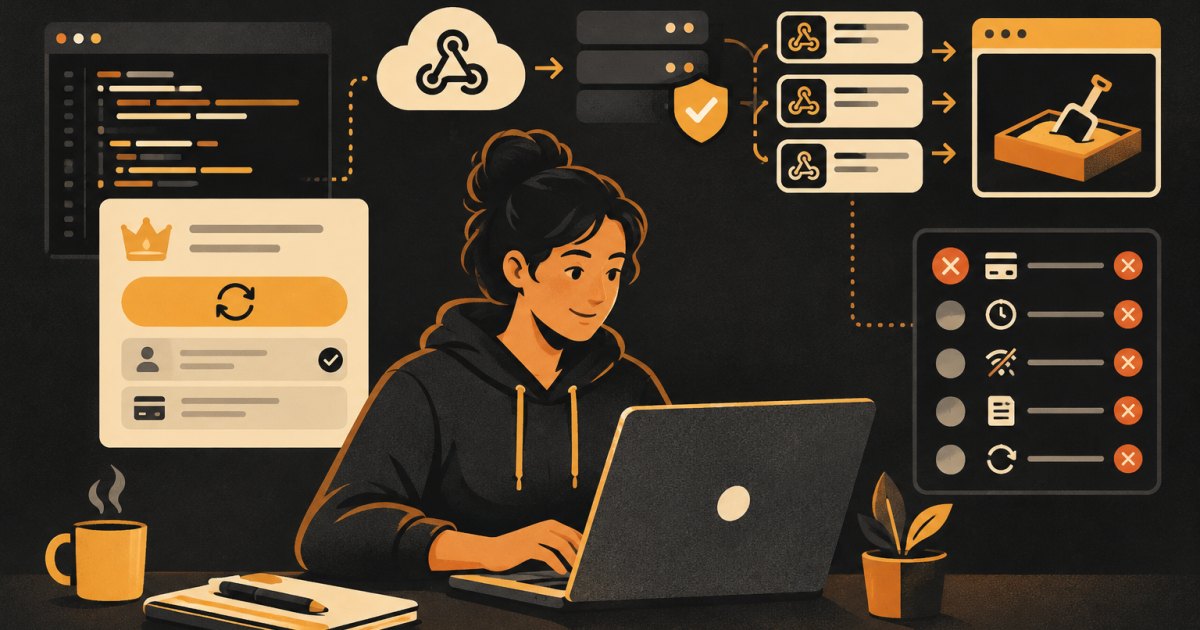
This post is for people already shipping apps who want to add paid subscriptions, or who added them quickly and are not sure they are right. I assume you have a working app with user accounts, probably on Supabase, and Claude Code set up on the codebase. I will not walk through clicking around the Stripe dashboard. The focus is on getting Claude Code to build the parts that are easy to get wrong, and on testing the failures, because that is where subscription bugs live.
The shape of a correct integration
Before you prompt anything, know what "right" looks like. There are four pieces:
- Checkout. Your server creates a Stripe Checkout Session for a price and sends the user to it. The server attaches your user's ID so you can match them later.
- Webhook endpoint. Stripe calls your server when things happen: a checkout completes, an invoice is paid, a payment fails, a subscription is canceled. This is the only place your app should grant or remove paid access.
- Your database. A table that stores each user's Stripe customer ID, subscription ID, status and current period end.
- Customer portal. A Stripe-hosted page where users update cards and cancel, so you do not build that yourself.
The most common mistake I see in AI-built apps: granting access when the user lands on the "success" page after checkout. That page is just a redirect. Anyone can visit it. Access must come from a verified webhook.
Step 1: Put the rules in CLAUDE.md first
Add these lines to your project's CLAUDE.md before you start, so they apply in every session:
# Payments
- Stripe secret key and webhook signing secret live only in
  server environment variables. Never in front-end code.
- Paid access is granted or removed ONLY in the webhook
  handler, never from the checkout success page.
- The webhook handler verifies the Stripe-Signature header
  using the raw request body before doing anything else.
- Store processed Stripe event IDs and skip duplicates.
- Use the Stripe sandbox (test keys) until I say otherwise.
Step 2: Plan before code
Start in plan mode and give Claude the whole picture:
Read CLAUDE.md. I want to add monthly and yearly subscriptions
with Stripe Checkout and the Stripe customer portal.

Propose a plan that covers:
1. A subscriptions table (columns, types, RLS so users can read
   only their own row and cannot write to it at all)
2. A server function that creates a Checkout Session for the
   logged-in user, using the user ID from their session, not
   from the request body
3. A webhook handler that verifies the signature with the raw
   body, records the event ID to prevent duplicates, and
   handles: checkout.session.completed, invoice.paid,
   invoice.payment_failed, customer.subscription.updated,
   customer.subscription.deleted
4. A server function that opens the customer portal
5. How the front end checks whether a user has access

List every environment variable needed and where each lives.
Do not write code yet.
Read the plan carefully. Check that users cannot write to the subscriptions table themselves, that the user ID comes from the verified session and that the webhook is the only thing that changes status.
Step 3: The webhook is the part to slow down on
Stripe's webhook documentation lists the requirements, and Claude should follow all of them:
- Verify the signature with the
Stripe-Signatureheader, yourwhsec_signing secret and the raw request body. If your framework parses the body into JSON first, verification fails. This is the number one reason webhook code "mysteriously" breaks. - Return a 2xx quickly. Do heavy work after acknowledging, or Stripe will time out and retry.
- Expect duplicates. The same event can arrive more than once. Log event IDs and skip ones you have processed.
- Do not depend on order. Stripe does not guarantee events arrive in the order they happened. When in doubt, fetch the current subscription from the Stripe API and save its status, instead of trusting the order of events.
Stripe's subscription guide also says that after invoice.paid, you should retrieve the subscription and confirm its status is active before extending access. Revoke access when the status becomes canceled or unpaid, and warn the user when it becomes past_due.
If you are on Supabase, the webhook usually runs as an edge function. Edge functions expect a logged-in user's token by default, and Stripe will not send one. The webhook function needs that check turned off, and the Stripe signature becomes its authentication. Ask Claude to explain this in the plan so you know it was done on purpose.
Step 4: Test in a sandbox with the Stripe CLI
Use a Stripe sandbox and test keys for all of this. Never test with real card details in live mode.
To send webhooks to your local machine, install the Stripe CLI, log in and forward events:
stripe login
stripe listen --forward-to localhost:54321/functions/v1/stripe-webhook
Change the URL to match your local function. The command prints a signing secret just for this session. Put that in your local environment, not your production one.
You can also fire individual events with stripe trigger, but Stripe notes that triggered events contain fake data that does not match your real subscriptions. The more reliable test is running a real checkout in the sandbox with a test card.
Step 5: The failure cases to actually test
Here is my checklist. Have Claude write it into a docs/payments-test-plan.md file, then go through it yourself.
- Happy path. Subscribe with
4242 4242 4242 4242. Access is granted only after the webhook arrives, and the database row showsactive. - Declined card. Use
4000 0000 0000 0002. No access, clear error, no orphaned rows. - Insufficient funds.
4000 0000 0000 9995. Same expectations. - 3D Secure. Stripe's billing testing guide uses
4000 0027 6000 3184for subscriptions. Test both completing and failing the authentication. - Renewal fails later.
4000 0000 0000 0341attaches to the customer fine, but charges fail. Combine it with a short trial to see what happens when a renewal fails: the user gets warned, status moves topast_due, and access is eventually removed according to your settings. - Time passing. Use a test clock in the sandbox to move a subscription forward a month or a year and watch the renewal and webhook events, instead of waiting.
- Cancel in the portal. Access should continue until the period ends, then stop when
customer.subscription.deletedarrives. - Plan change. Upgrade and downgrade in the portal. Your database should match Stripe afterward.
- Bad signature. Send a request to your webhook with no signature or a wrong one. It must return an error and change nothing.
- Duplicate event. Resend the same event from the dashboard. Nothing should happen twice.
- Tampered success page. Visit your checkout success URL directly without paying. You should get no access.
The Stripe billing testing guide has the full list of test cards and test clock steps if you need more.
A prompt for the review step, in a fresh session:
Review the Stripe integration against docs/payments-test-plan.md
and CLAUDE.md. Do not change files. For each test case, point
to the code that handles it, or say clearly that nothing handles
it. Flag only gaps that could give someone paid access without
paying, or remove access from someone who paid.
Step 6: Going live
- Create the live webhook endpoint in Stripe and copy its own signing secret. Sandbox and live secrets are different.
- Subscribe only to the events you handle.
- Set live keys in your production environment only.
- Run one real purchase with your own card at your lowest price, then refund it.
- Check the webhook delivery log in Stripe after launch day for failures.
Stripe also publishes agent skills and plugins for coding agents. They are worth a look, but the checklist above is what tells you the integration is right.
Where to go next
The recipes include a subscription billing spec in this format that you can hand to Claude Code. If you want a second set of eyes on your webhook handler before launch, bring it to office hours in a cohort.
What would have made it better?